• Invest via TradingView
  • Invest via WebTrade
InnovestX
  • Investment Platforms
  • Products & Services
    • Stocks
      • Thai Stock
      • Offshore Stock
      • Algo Invest
    • DR
      • DR (Depositary Receipt)
    • Funds
      • Mutual Fund
      • Offshore Fund
      • Tax-Saving Fund
    • Intelligent Portfolios
      • Intelligent Port
      • Thematic Portfolio
      • Guru Portfolio
      • Goal-Based Portfolio
      • Robo Advisor
    • Digital Asset
      • Digital asset
    • Bonds & Debentures
      • Bond
      • Offshore Bond
    • Thai Derivatives
      • TFEX
      • Structure Note
      • Block Trade
    • Offshore Derivatives
      • US Options
    • Stock Borrowing & Lending
      • Stock Borrowing & Lending (SBL)
    • Private Fund
      • Private Fund Service
    • Product User Guide
      • INVX APP Guide
      • Intelligent Portfolios Guide
      • Streaming & Online Guide
      • Offshore Stock Guide
      • Mutual Fund Guide
      • Digital Asset Guide
      • Global Trade (US, HK)
      • Global Trade (EU, Asia, CA)
      • INVX WebTrade Guide
    • Investment Strategy
      • CANSLIM Strategy
  • Café Invest
  • News & Promotions
    • Promotions
    • News update
    • Announcement
    • Point-to-invest
    • INVX Point
  • About Us
    • About Us
      • Corporate information
      • Board of Directors
      • Executive Committee
      • Achievement award
      • License
      • Whistleblower
    • Work with us
      • Available Positions
      • Independent Financial Advisors
  • FAQs
Search

Onboarding : ขั้นตอนการเปิดบัญชีลงทุน

Aug 18, 2022

  • Using InnovestX
Onboarding : ขั้นตอนการเปิดบัญชีลงทุน

Onboarding Manual

01

ดาวน์โหลดแอป InnovestX

สแกน หรือ ดาวน์โหลดแอพพลิเคชันได้ที่นี่ คลิก

02

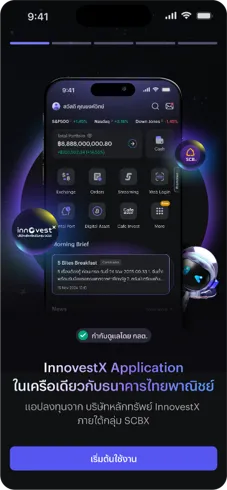
เริ่มต้นลงทะเบียนใช้งาน

คลิก “เริ่มต้นใช้งาน”
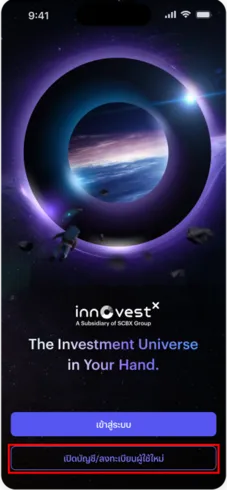
คลิก “เปิดบัญชี/ลงทะเบียนผู้ใช้ใหม่”
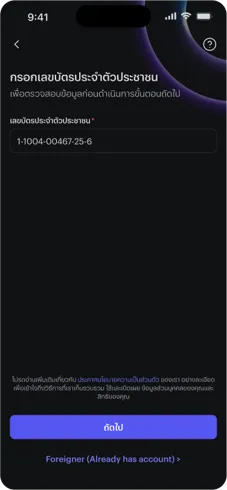
กรอกเลขบัตรประจำตัวประชาชน จากนั้นคลิก “ถัดไป”
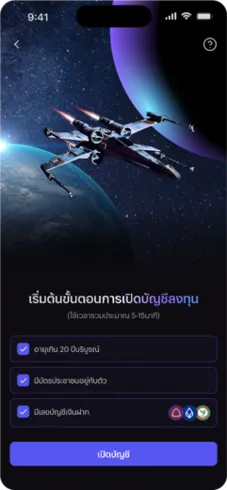
ตรวจสอบความพร้อมเปิดบัญชี 3 ข้อ และกด “เปิดบัญชี”
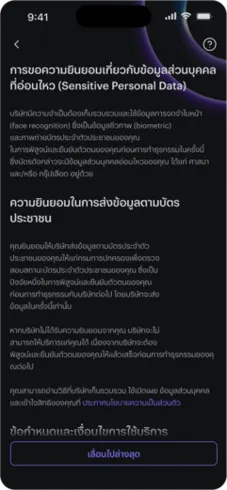
ตรวจสอบการขอความยินยอมเกี่ยวกับข้อมูลส่วนบุคคลที่อ่อนไหว (Sensitive Personal Data)
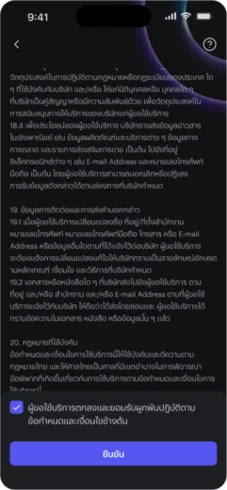
เมื่อตรวจสอบเรียบร้อยแล้วกด “ยืนยัน”
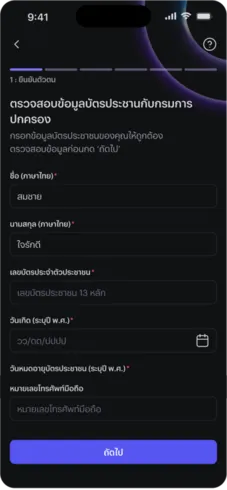
ตรวจสอบและกรอกข้อมูลให้ครบถ้วน จากนั้นกด “ถัดไป”
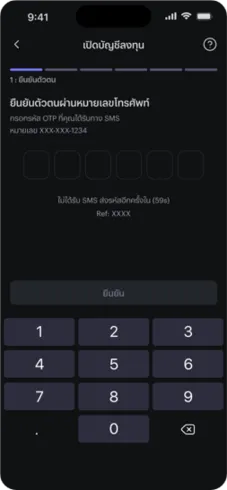
กรอกรหัส OTP ที่ได้รับทาง SMS
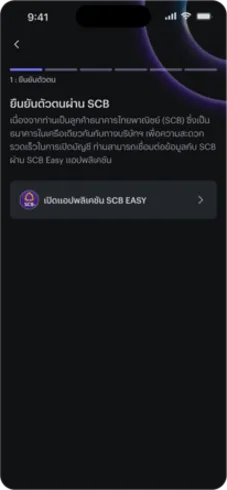
ทำการยืนยันตัวตนผ่านแอป SCB Easy หรือ NDID
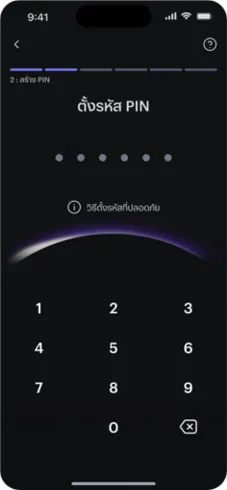
ตั้งรหัส PIN 6 หลักโดยรหัสนี้จะเป็นรหัสยืนยันการทำธุรกรรมของท่าน
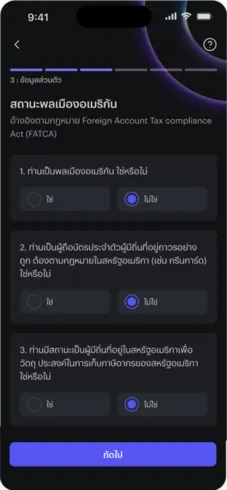
ตรวจสอบข้อมูล สถานะพลเมืองอเมริกัน จากนั้นกด “ถัดไป”
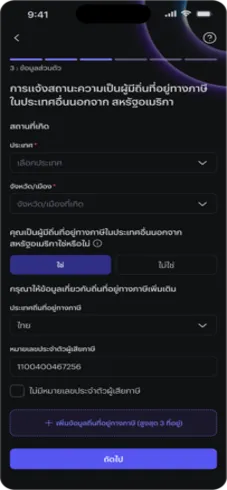
ยืนยันสถานะพลเมืองและความเป็นผู้มีถิ่นถานทางภาษี (FATCA&CRS) จากนั้นกด “ถัดไป”
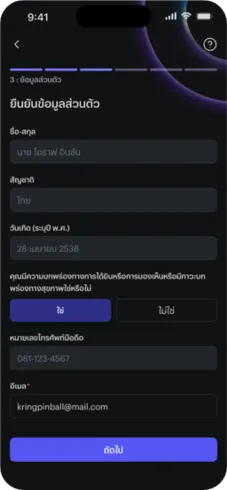
ยืนยันข้อมูลส่วนตัว
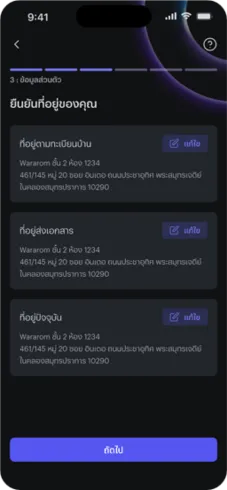
ยืนยันที่อยู่
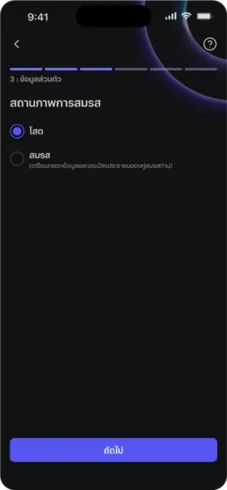
สถานภาพการสมรส
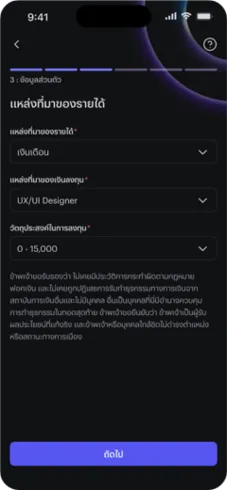
แหล่งที่มาของรายได้
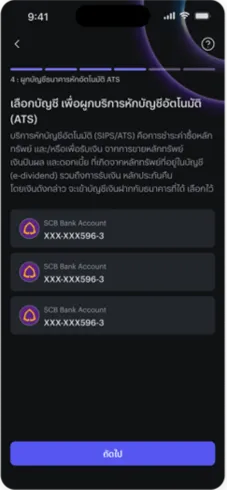
เลือกบัญชี เพื่อผูกบริการหักบัญชีอัตโนมัติ (ATS)
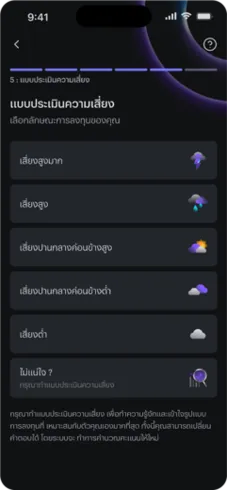
เลือกระดับความเสี่ยงที่ยอมรับได้ และทำแบบประเมินความเสี่ยงจากนั้นกด “ถัดไป”
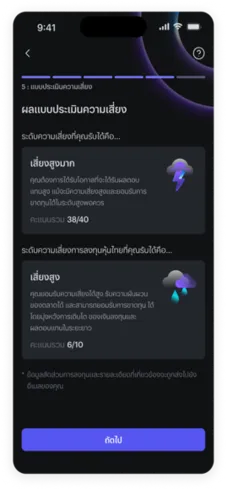
ตรวจสอบผลแบบประเมินความเสี่ยง
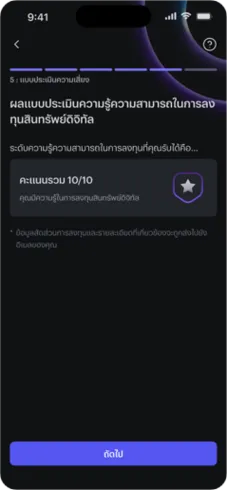
แบบประเมินความเสี่ยงการลงทุนสินทรัพย์ดิจิทัลและตรวจสอบผล จากนั้นกด “ถัดไป”
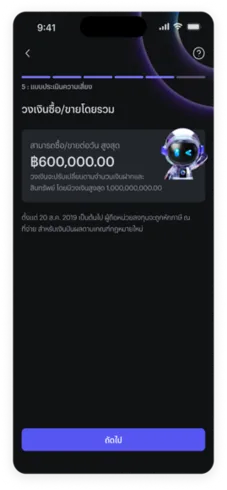
ตรวจสอบวงเงินซื้อ/ขายโดยรวม จากนั้นกด “ถัดไป”
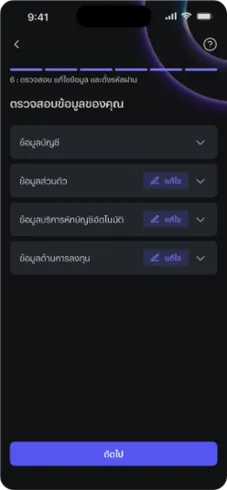
ตรวจสอบข้อมูลส่วนตัวของท่าน และกด “ถัดไป”
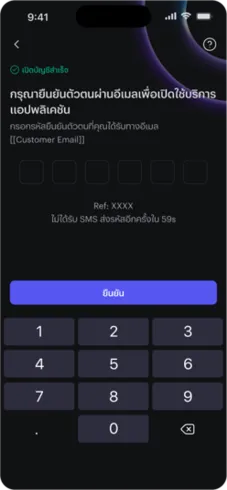
กรอกรหัส OTP ที่ได้จากอีเมล จากนั้นกด “ยืนยัน”
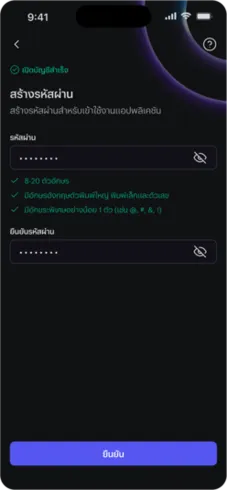
กำหนดรหัสผ่าน และกด “ยืนยัน”
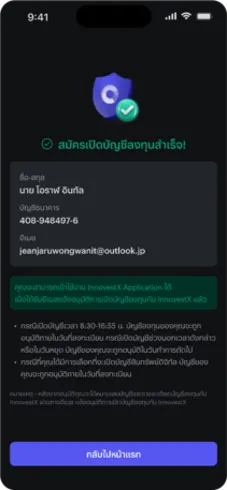
เสร็จสิ้นขั้นตอนการเปิดบัญชี ท่านสามารถเข้าใช้งานแอป InnovestX ได้ทันทีครับ

คู่มือการใช้งานแอป InnovestX

  • Fund Filter : การเลือกกองทุนที่สนใจ
  • Personalized Notification : การแจ้งเตือนใน Application
  • ดูรายละเอียดพอร์ตลงทุน (Real time)
InnovestX

The New Investment Universe

InnovestX Customer Service
  • Facebook
  • Line: @InnovestX
Products
  • Start investing in InnovestX
  • Share
  • DR (Depositary Receipt)
  • Funds
  • Intelligent Portfolios
  • Digital assets
  • Fixed Income and Debentures
  • Thai Derivatives
  • Foreign Derivatives
  • Asset borrowing and lending services
  • Private Funds
  • Invest via TradingView
  • Product User Manual
Investment Knowledge Resources
  • CafeInvest
News & Promotions
  • Promotions & Privileges
  • News Updates
  • Announcement
  • INVX Points
  • Point to invest
About Us
  • Company Information
  • Management Structure
  • Board of Directors
  • Executive Committee
  • Achievement Awards
  • Work with us
Help Menu
  • Contact Us
  • Usability Questions
Policies
  • Privacy Policy
  • Anti-Corruption Policy
  • Precautions
  • Disclaimer
  • Security Tips
  • Cookie Policy
  • Vulnerability Exposure Policy
  • License
  • Agent
Follow us on

เราใช้คุกกี้เพื่อวิเคราะห์การใช้งานเว็บไซต์ · We use cookies to analyse site usage. อ่านเพิ่มเติม · Read more: นโยบายความเป็นส่วนตัว · Privacy Policy · นโยบายการใช้คุกกี้ · Cookie Policy